
Imagine your website is a bustling shop. You want to welcome all your customers, but you also need to keep out troublemakers. That’s where a Web Firewall comes in. It’s like a super-smart security guard for your online store, watching out for bad actors and protecting your valuable information.
Choosing the right Web Firewall can feel overwhelming. There are so many choices, and each one promises to be the best. You might worry about how to pick one that truly keeps your website safe without slowing it down or costing too much. It’s a common problem for website owners who want peace of mind.
But don’t worry! By reading on, you’ll learn what a Web Firewall actually does and why it’s so important. We’ll break down the different types and what to look for, so you can make a smart choice for your website’s security. Get ready to understand how to build a strong digital defense.
Top Web Firewall Recommendations

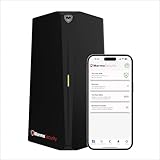
- HOME CYBERSECURITY SOLUTION: SafeHome is an advanced cybersecurity solution that protects your home network and safeguards your family and all internet connected devices in your home from cyber threats and hackers. SafeHome blocks phishing, malware, ransomware, online scams and dark web threats.
- ADVANCED THREAT PREVENTION: SafeHome includes a Next-Gen Firewall, DNS Security, Web Filtering, Dark Web Protection, Geo-fencing and other AI Powered cybersecurity features protecting your home and family from internet threats and hackers.
- PERSONAL DATA & IDENTITY SECURITY: Safeguards your personal and financial data, protecting them from online theft and unauthorized access.

- GOLD SECURITY PACK INCLUDED (1 YEAR): Anti-malware, sandboxing, IPS 1,000 Mbps, web filtering, DNS/IP/URL reputation, app patrol, AI SecuPilot, full UTM active from day one for small offices
- OFFLINE-CAPABLE SETUP AND UPDATES: Configure via Nebula portal wizard; update firmware offline via FTP on the local network, while the web interface remains fully accessible without internet after each update
- COMPACT FANLESS DESIGN: with SPI 2,000 Mbps firewall throughput, 1,000 Mbps IPS, 500 Mbps VPN, the firewall supports up to 25 users, 100,000 concurrent sessions, 20 IPSec tunnels, 15 SSL VPN users, and 8 VLANs

- GOLD SECURITY PACK INCLUDED (1 YEAR): Anti-malware, sandboxing, IPS 1,500 Mbps, web filtering, DNS/IP/URL reputation, app patrol, AI SecuPilot, full UTM active from day one for up to 50 users
- OFFLINE-CAPABLE SETUP AND UPDATES: Configure via Nebula portal wizard; update firmware offline via FTP on the local network, while the web interface remains fully accessible without internet after each update
- COMPACT FANLESS DESIGN: with SPI 4,000 Mbps firewall throughput, 1,500 Mbps IPS, and 900 Mbps VPN, the firewall supports up to 50 users, 300,000 concurrent sessions, 50 IPSec tunnels, 25 SSL VPN users, and 16 VLANs

- FortiGuard 3 Year Unified Threat Protection for FortiGate-40F (FC-10-0040F-950-02-36)
- FortiGuard AI-powered security bundles provide a comprehensive and meticulously curated selection of security services to combat known, unknown, zero-day, and emerging AI-based threats. These services are designed to prevent malicious content from breaching your defenses, protect against web-based threats, secure devices throughout IT/OT/IoT environments, and ensure the safety of applications, users, and data.
- The Unified Threat Protection bundle builds on the ATP bundle with advanced web security services to protect organizations against web-borne threats including sophisticated DNS-based threats. The bundle includes: ATP + DNS filtering, URL filtering, video filtering, and anti-botnet and C2 communications services.

- FORTINET FortiGate-40F 1 Year FortiGuard Web Filtering Service (FC-10-0040F-112-02-12)
- Protect your organization by blocking access to malicious, hacked, or inappropriate websites with FortiGuard Web Filtering. Web filtering is the first line of defense against web-based attacks. Malicious or hacked websites, a primary vector for initiating attacks, trigger downloads of malware, spyware, or risky content.
- Web Filtering Service improves security by blocking access to malicious and risky websites, prevents malware downloads from malicious or hacked websites, keeps your defense current with automatic intelligence tools, targeted threat analysis, and continuous updates, controls access through policy-based controls with highly granular blocking and filtering, and lowers your entry and maintenance costs through device-based licensing.
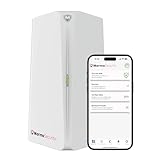
- BUSINESS CYBERSECURITY SOLUTION: SafeBiz is an advanced cybersecurity solution that protects your work network and safeguards your Business data and all internet connected devices in your business from cyber threats and hackers. SafeHome blocks phishing, malware, ransomware, online scams and dark web threats.
- ADVANCED THREAT PREVENTION: SafeBiz includes a Next-Gen Firewall, DNS Security, Web Filtering, Dark Web Protection, Geo-fencing and other AI Powered cybersecurity features protecting your Business and Sensitive Data from internet threats and hackers.
- BUSINESS DATA & IDENTITY SECURITY: Safeguards your Official and financial data, protecting them from online theft and unauthorized access.
Choosing the Right Web Firewall: Your Guide to Online Safety
What is a Web Firewall?
A web firewall is like a security guard for your website. It stands between your website and the internet. It watches all the traffic coming in and going out. It blocks bad stuff like hackers and viruses. This keeps your website and your visitors safe.
Key Features to Look For
When you’re shopping for a web firewall, keep these important features in mind:
- Traffic Filtering: A good firewall inspects all incoming and outgoing data. It looks for suspicious patterns. It can block known malicious IP addresses.
- Malware Detection: It should be able to find and remove harmful software. This protects your site from infections.
- DDoS Protection: Distributed Denial of Service (DDoS) attacks try to overwhelm your website with traffic. A strong firewall can absorb and block these attacks.
- Virtual Patching: Sometimes, software has security holes. Virtual patching fixes these holes without you needing to change your website’s code immediately.
- Web Application Firewall (WAF): This is a special type of firewall. It focuses on protecting web applications from attacks like SQL injection and cross-site scripting (XSS).
- Reporting and Logging: You need to see what the firewall is doing. Good reporting shows you blocked threats and website activity.
- Ease of Use: The firewall should be easy to set up and manage. You shouldn’t need to be a computer expert to use it.
Important Materials (for understanding how it works, not physical materials)
Web firewalls aren’t made of metal and plastic. They are built with smart software and advanced technology. Think of it as the “brains” behind the operation:
- Algorithms: These are sets of rules and instructions that the firewall follows. They tell it what to look for and how to react.
- Databases: Firewalls use large databases of known threats. These include bad IP addresses, malware signatures, and attack patterns.
- Artificial Intelligence (AI) and Machine Learning (ML): Some advanced firewalls use AI and ML. They learn from new threats. This helps them get better at protecting your site over time.
Factors That Improve or Reduce Quality
Several things make a web firewall better or worse:
Factors That Improve Quality:
- Frequent Updates: The internet is always changing. A good firewall gets regular updates. These updates add new threat information.
- Customization Options: Being able to tweak the firewall’s rules is important. You can tailor it to your specific website’s needs.
- Speed and Performance: A fast firewall won’t slow down your website. It should do its job without making visitors wait.
- Strong Support: If you have problems, you need help. Good customer support is a big plus.
Factors That Reduce Quality:
- Outdated Threat Signatures: If the firewall doesn’t know about new threats, it can’t block them.
- False Positives: Sometimes, a firewall might block legitimate traffic by mistake. Too many false positives frustrate users.
- Complex Setup: A firewall that’s hard to install or configure is a pain. It might lead to security gaps.
- Poor Performance: A slow firewall can make your website unusable.
User Experience and Use Cases
A good web firewall should be simple to use. You want to set it up and then mostly forget about it. It should work quietly in the background to keep you safe.
Use Cases:
- Small Businesses: Protecting customer data and maintaining trust.
- E-commerce Sites: Securing online transactions and preventing fraud.
- Blogs and Personal Websites: Preventing defacement and malware spread.
- Large Enterprises: Safeguarding sensitive company information and critical infrastructure.
Ultimately, a web firewall is an essential tool for anyone who has a website. It’s an investment in your online security and your reputation.
Frequently Asked Questions (FAQ)
Q: What is the main purpose of a web firewall?
A: Its main purpose is to protect your website from online threats like hackers, malware, and denial-of-service attacks.
Q: Do I need a web firewall if I have a small website?
A: Yes, even small websites can be targets. A web firewall provides a basic layer of security.
Q: How often do web firewalls need to be updated?
A: They should be updated frequently, ideally automatically, to protect against the latest threats.
Q: Can a web firewall slow down my website?
A: A good firewall is designed to have minimal impact on website speed. A poorly designed one might.
Q: What is the difference between a web firewall and a regular firewall?
A: A regular firewall protects your entire network, while a web firewall specifically protects your website from web-based attacks.
Q: Is it hard to set up a web firewall?
A: Many modern web firewalls are designed for easy setup. Some might require a bit more technical knowledge.
Q: What is a WAF?
A: WAF stands for Web Application Firewall. It’s a specialized firewall that focuses on protecting web applications from specific types of attacks.
Q: How does a web firewall detect threats?
A: It uses rules, signatures of known threats, and sometimes AI to identify and block malicious traffic.
Q: Can a web firewall protect against all online threats?
A: No, while very effective, no security solution can guarantee 100% protection against every single threat.
Q: Should I choose a cloud-based or on-premises web firewall?
A: Cloud-based firewalls are generally easier to manage and scale, while on-premises firewalls offer more direct control.

Hi, I’m Tom Scalisi, and welcome to The Saw Blog! I started this blog to share my hands-on experience and insights about woodworking tools—especially saws and saw blades. Over the years, I’ve had the chance to work with a wide range of tools, and I’m here to help both professionals and hobbyists make informed decisions when it comes to selecting and using their equipment. Whether you’re looking for in-depth reviews, tips, or just advice on how to get the best performance out of your tools, you’ll find it here. I’m excited to be part of your woodworking journey!