
Have you ever felt like your crosshair just won’t land where you want it during a heated match? Many gamers believe that a higher DPI setting automatically makes them a better player, but this common myth often leads to shaky aim and missed shots. Finding the perfect balance for your mouse sensitivity is one of the most frustrating hurdles when setting up your gaming rig.
Choosing the right DPI for first-person shooters is a major pain point because everyone’s playstyle and hardware are unique. A setting that feels smooth for one person might feel impossible to control for another. The sheer amount of conflicting advice online only adds to the confusion, leaving many players stuck with settings that actually hurt their performance rather than helping it.
In this guide, we will clear up the confusion surrounding DPI and mouse sensitivity. You will learn how these settings impact your aim and how to find the “sweet spot” that matches your personal comfort. We will break down the science of sensor speed so you can stop guessing and start hitting your targets with confidence.
Now that you understand why this choice matters, let’s dive into the technical details and discover how to fine-tune your mouse settings for total dominance in your favorite FPS games.
Top Dpi For Gaming Fps Recommendations

- 【3-Mode Connection】Type-C Wired, Bluetooth and 2.4GHz 3 connectivity modes can easily and seamlessly connect with devices within 10 meters and easily switch between the 3 modes for efficient multitasking.
- 【Up to 8000 DPI Sensor】M725 gaming mouse comes with 5 redefinable DPI levels (default: 400/800/1600/2400/4000 DPI), making it easy to switch between different gaming needs.
- 【5 Programmable Buttons】Customize button bindings for gaming and work with multi-key macros for faster hotkey access, and switch between 5 configuration modes with a single click.
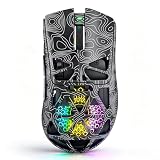
- High-Precision Wireless Gaming Mouse: The NSYCA G11 gaming mouse features a PAW3311 optical sensor with adjustable DPI up to 22,000 for precise tracking, fast response, and smooth cursor control. Designed for FPS, MOBA, MMO, Battle Royale, and competitive gaming, it delivers accurate aiming and responsive movement for both casual and advanced players
- Tri-Mode Connectivity & Low-Latency Performance: Supports Bluetooth 5.1, 2.4GHz wireless, and USB-C wired connection modes for flexible gaming and productivity. With up to 1000Hz polling rate, this low-latency wireless gaming mouse provides stable and responsive performance for desktop PCs, laptops, and Mac devices. Ideal for gaming, office work, study, and everyday use
- Programmable Gaming Mouse with Macro Support: Customize macros, button assignments, DPI levels, polling rates, and RGB lighting effects through the dedicated driver software for a personalized gaming experience. Suitable for MMO gaming, FPS shortcuts, workflow optimization, and multitasking. Driver download: bit.ly/m/NSYCA
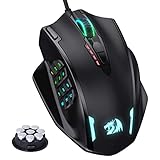
- Professional Gaming Mouse - Redragon M908 optical gaming mouse is designed with up to 12400 DPI, 5 adjustable DPI levels (500/1000/2000/3000/6200 DPI) meet your multiple needs, either for daily work or gaming. DPI can be adjusted freely by ±100 from 200 to 12400 via software. 1000 Hz polling rate, 30G acceleration and high-precision Pixart PAW3327 Sensor giving you a greater edge over your competition.
- RGB Backlight & Programmable Buttons - 16.8 million RGB LED color options (LED Backlight can be disabled). 18 programmable buttons, 5 memory profiles each with a dedicated light color for quick identification. Comes with 8-piece weight tuning set (2.4g x8), easy to change the weight to suit your games.
- Comfort & Precision At Your Hands - Redragon M908 gaming mouse is an essential computer accessory for die-hard with its aggressive design for hands! You will be amazed by the unmatched comfort, lethal accuracy and killer precision of our durable, desktop and laptop pro gaming mouse!

- High-Precision Wireless Gaming Mouse: The NSYCA G11 gaming mouse features a PAW3311 optical sensor with adjustable DPI up to 22,000 for precise tracking, fast response, and smooth cursor control. Designed for FPS, MOBA, MMO, Battle Royale, and competitive gaming, it delivers accurate aiming and responsive movement for both casual and advanced players
- Tri-Mode Connectivity & Low-Latency Performance: Supports Bluetooth 5.1, 2.4GHz wireless, and USB-C wired connection modes for flexible gaming and productivity. With up to 1000Hz polling rate, this low-latency wireless gaming mouse provides stable and responsive performance for desktop PCs, laptops, and Mac devices. Ideal for gaming, office work, study, and everyday use
- Programmable Gaming Mouse with Macro Support: Customize macros, button assignments, DPI levels, polling rates, and RGB lighting effects through the dedicated driver software for a personalized gaming experience. Suitable for MMO gaming, FPS shortcuts, workflow optimization, and multitasking. Driver download: bit.ly/m/NSYCA

- Ultra-Light and Agile: Weighing just 73 g, the KATAR PRO XT is great for hours of fast-paced FPS or MOBA gameplay
- Compact Symmetric Shape: Great for claw and fingertip grip styles
- CORSAIR QUICKSTRIKE Buttons: Spring-loaded design delivers zero gap between the left and right click buttons and their switches, so your clicks, shots, and spells are faster than ever

- MANBASNAKE × ATTACK SHARK WIRELESS ULTRA LIGHTWEIGHT MOUSE 49g - Bluetooth 5.2 + 2.4Ghz Wireless + Wired using. Experience ultra-low-latency, lightning-fast gaming speed, featuring multi-device support. Features 200h Max Battery Life, you can game for weeks on end without interruption.
- ADVANCED 26K OPTICAL SENSOR - This bluetooth mouse quipped with the PixArt’s latest flagship PAW3395 sensor capable of 26,000 programmable DPI, 650 IPS speed, 50g acceleration and 1000hz / 1ms polling rate.
- FULLY CUSTOMIZABLE - Configure your wireless mouse in our software to program your buttons, DPI/IPS settings, lift-off distance, polling rate, key Remaps, powerful macro settings, etc. SIZE: 4.67*2.4*1.56in / 11.85*6.1*3.97cm.

- Ambidextrous Shape with Swappable Side Buttons: The expertly crafted ambidextrous mouse shape grants maximum comfort and control to both right- and left-hand players with swappable side buttons.
- 74g – Lightweight for Premier FPS Play: Make every movement swift, and every reaction lightning fast. At 74g, M75 catapults you up the leaderboard with unparalleled speed and precision.
- Ultra-Precise 26k DPI Optical Sensor: With a native 26,000 DPI, 650 IPS tracking, and up to 50G acceleration, the CORSAIR MARKSMAN optical sensor accurately captures fast-twitch mouse movements, speedy sweeps, and rapid recenters.

- Triple Mode Connection: Seamlessly switch between 2.4GHz wireless, BT5.3, and wired USB modes—this gaming mouse can store up to 4 devices for quick switching between gaming and office scenarios. As a wireless gaming mouse, it offers broad compatibility with Windows, Mac OS, Linux, and Android systems, suitable for desktops, laptops, Macs, and more
- Macro Programming & Fire Button: This Aula gaming mouse wireless features 7 programmable buttons, supporting remapping, macro recording, DPI adjustment, polling rate, sleep time, and lighting mode settings via the AULA driver (soaidriver.com). Dedicated Fire Button for One-Click Critical Commands: Map game burst fire, MMO skill combos, or office app shortcuts—eliminating repetitive clicks and complex keybinds. Whether eliminating enemies or optimizing workflows, it transforms complex actions into single-click execution, elevating your wireless mouse gaming experience. Note: Supports Windows systems in 2.4GHz wireless and wired modes; BT mode is unavailable
- Adjustable 12,000 DPI: The AULA SC620 wireless mouse features 6 adjustable DPI levels—800, 1600, 3200, 4800, 8000, and 12000—perfectly suited for FPS sniping or spreadsheet operations. Paired with a 1000Hz polling rate, it delivers low latency and high fluidity. This programmable mouse ensures instant response with every movement, making it the ultimate computer mouse for competitive play and precision tasks
The Ultimate Guide to Choosing the Best DPI for FPS Gaming
Choosing the right DPI (Dots Per Inch) is a game-changer for first-person shooter (FPS) players. DPI measures how sensitive your mouse sensor is. A higher DPI means your cursor moves faster on the screen with very little hand movement. A lower DPI requires larger, steadier arm movements. Finding your “sweet spot” will help you land more headshots and improve your tracking.
Key Features to Look For
- Adjustable DPI Settings: Look for a mouse that lets you change settings on the fly. Most pro gamers prefer a range between 400 and 1600 DPI.
- High-Quality Sensors: A good sensor tracks your movements perfectly. Avoid cheap sensors that “skip” or jitter when you move your hand quickly.
- Custom Software: Top gaming mice include apps to set specific DPI levels. You can save these profiles for different games.
- Weight and Balance: A lighter mouse often feels better at high DPI settings. Heavy mice are usually better for lower, more controlled settings.
Important Materials
The materials of your mouse and your mousepad matter. Most gaming mice use high-grade plastic shells that are lightweight and durable. Look for rubberized side grips to keep your hand steady during intense matches. Your mousepad also plays a huge role. A cloth pad offers more friction for control, while a hard plastic pad allows for faster, slicker movements.
Factors That Improve or Reduce Quality
Several factors change how your DPI feels. The most important one is “polling rate.” A high polling rate sends data to your computer faster. This reduces lag. Another factor is your monitor’s resolution. If you play on a 4K screen, you might need a slightly higher DPI than someone on a 1080p screen. Finally, keep your sensor clean. Dust or hair near the sensor can cause your aim to jump unexpectedly.
User Experience and Use Cases
Most professional FPS players choose a low DPI (400–800) because it allows for consistent muscle memory. You use your whole arm to aim, which is more accurate for long-distance shots. However, some players prefer high DPI (1600+) because it allows for quick turns. If you play games with fast movement like Overwatch or Apex Legends, you might like a higher setting. Experiment with different levels to see what feels natural for your desk space.
10 Frequently Asked Questions
Q: Is higher DPI always better for gaming?
A: No. Higher DPI makes your mouse very sensitive. This can make it hard to aim precisely. Most pros prefer lower settings for better control.
Q: What is the most popular DPI for FPS games?
A: Most pro players use 400, 800, or 1600 DPI.
Q: Can I change my DPI inside the game?
A: Most games have a “mouse sensitivity” setting. This works with your DPI to change your total speed.
Q: Does my mousepad affect my DPI?
A: Yes. A textured pad might feel different than a smooth one. This changes how your sensor tracks movement.
Q: How do I know if my DPI is too high?
A: If your cursor feels “shaky” or you constantly miss small targets, your DPI is likely too high.
Q: What is “Pixel Skipping”?
A: This happens when your DPI is set too high for your screen resolution. The cursor jumps over pixels instead of landing on them.
Q: Should I turn off “Mouse Acceleration”?
A: Yes. You should always disable mouse acceleration in Windows. It changes your speed based on how fast you move your hand, which ruins muscle memory.
Q: Does a wireless mouse perform worse than a wired one?
A: Modern wireless gaming mice are just as fast as wired ones. You will not notice a difference in most cases.
Q: How often should I clean my mouse sensor?
A: Check the bottom of your mouse once a month. Use a dry cotton swab to gently remove any dust.
Q: Can I change DPI without software?
A: Many gaming mice have a physical button on the bottom or top to cycle through preset DPI levels.

Hi, I’m Tom Scalisi, and welcome to The Saw Blog! I started this blog to share my hands-on experience and insights about woodworking tools—especially saws and saw blades. Over the years, I’ve had the chance to work with a wide range of tools, and I’m here to help both professionals and hobbyists make informed decisions when it comes to selecting and using their equipment. Whether you’re looking for in-depth reviews, tips, or just advice on how to get the best performance out of your tools, you’ll find it here. I’m excited to be part of your woodworking journey!