
Is your internet connection slower than a snail on a Sunday morning? You’re not alone! Many people struggle with sluggish Wi-Fi, and often, the culprit is an outdated or inadequate router. Choosing a new router can feel like navigating a maze, especially when you’re trying to save money. You want a router that’s fast and reliable without emptying your wallet. It’s a tricky balance to strike, and the sheer number of choices can be overwhelming.
But what if we told you that finding a fantastic bargain router is totally achievable? You don’t need to spend a fortune to get a great internet experience. This post is here to guide you through the world of affordable routers. We’ll break down what makes a bargain router truly a bargain and help you avoid common pitfalls. By the end of this article, you’ll feel confident in picking a router that fits your budget and your needs, giving you faster speeds and a more stable connection.
Top Bargain Router Recommendations

- FAST, RELIABLE WIFI: Delivers fast, reliable WiFi across your apartment or small home for streaming, video calls, browsing, and smart home devices.
- WORKS WITH YOUR EXISTING INTERNET SERVICE: Pairs with your existing modem or gateway via ethernet. Compatible with most cable, fiber, DSL, and satellite providers. Some gateways and modem router combos may require bridge mode. No coax needed.
- SET UP AND MANAGE YOUR NETWORK WITH THE NIGHTHAWK APP: Download the free Nighthawk app on iOS or Android for guided setup. Manage WiFi, run speed tests, pause devices, and set up guest networks from anywhere. Active internet required.

- 𝐅𝐮𝐭𝐮𝐫𝐞-𝐏𝐫𝐨𝐨𝐟 𝐘𝐨𝐮𝐫 𝐇𝐨𝐦𝐞 𝐖𝐢𝐭𝐡 𝐖𝐢-𝐅𝐢 𝟕: Powered by Wi-Fi 7 technology, enjoy faster speeds with Multi-Link Operation, increased reliability with Multi-RUs, and more data capacity with 4K-QAM, delivering enhanced performance for all your devices.
- 𝐁𝐄𝟑𝟔𝟎𝟎 𝐃𝐮𝐚𝐥-𝐁𝐚𝐧𝐝 𝐖𝐢-𝐅𝐢 𝟕 𝐑𝐨𝐮𝐭𝐞𝐫: Delivers up to 2882 Mbps (5 GHz), and 688 Mbps (2.4 GHz) speeds for 4K/8K streaming, AR/VR gaming & more. Dual-band routers do not support 6 GHz. Performance varies by conditions, distance, and obstacles like walls.
- 𝐔𝐧𝐥𝐞𝐚𝐬𝐡 𝐌𝐮𝐥𝐭𝐢-𝐆𝐢𝐠 𝐒𝐩𝐞𝐞𝐝𝐬 𝐰𝐢𝐭𝐡 𝐃𝐮𝐚𝐥 𝟐.𝟓 𝐆𝐛𝐩𝐬 𝐏𝐨𝐫𝐭𝐬 𝐚𝐧𝐝 𝟑×𝟏𝐆𝐛𝐩𝐬 𝐋𝐀𝐍 𝐏𝐨𝐫𝐭𝐬: Maximize Gigabitplus internet with one 2.5G WAN/LAN port, one 2.5 Gbps LAN port, plus three additional 1 Gbps LAN ports. Break the 1G barrier for seamless, high-speed connectivity from the internet to multiple LAN devices for enhanced performance.
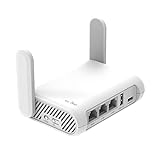
- 【AC1200 Dual-band Wireless Router】Simultaneous dual-band with wireless speed up to 300 Mbps (2.4GHz) + 867 Mbps (5GHz). 2.4GHz band can handles some simple tasks like emails or web browsing while bandwidth intensive tasks such as gaming or 4K video streaming can be handled by the 5GHz band.*Speed tests are conducted on a local network. Real-world speeds may differ depending on your network configuration.*
- 【Easy Setup】Please refer to the User Manual and the Unboxing & Setup video guide on Amazon for detailed setup instructions and methods for connecting to the Internet.
- 【Pocket-friendly】Lightweight design(145g) which designed for your next trip or adventure. Alongside its portable, compact design makes it easy to take with you on the go.

- New-Gen WiFi Standard – WiFi 6(802.11ax) standard supporting MU-MIMO and OFDMA technology for better efficiency and throughput.Antenna : External antenna x 4. Processor : Dual-core (4 VPE). Power Supply : AC Input : 110V~240V(50~60Hz), DC Output : 12 V with max. 1.5A current.
- Ultra-fast WiFi Speed – RT-AX1800S supports 1024-QAM for dramatically faster wireless connections
- Increase Capacity and Efficiency – Supporting not only MU-MIMO but also OFDMA technique to efficiently allocate channels, communicate with multiple devices simultaneously

- Wave 2 Wireless Internet Router: Achieve up to 600 Mbps on the 2.4GHz band and up to 1300 Mbps on the 5GHz band. Dual-band WiFi routers do not support the 6 GHz band. Performance varies by conditions, distance to devices, and obstacles such as walls.
- OneMesh Compatible Router- Form a seamless WiFi when work with TP-Link OneMesh WiFi Extenders.
- MU-MIMO Gigabit Router, 3 simultaneous data streams help your devices achieve optimal performance by making communication more efficient

- Approved for Cox and Xfinity internet along with other US cable internet providers. Is NOT compatible with ATT; CenturyLink; Verizon; Froniter or other Fiber Optic; DSL or Satellite internet service providers.
- Does NOT support cable digital voice service.
- Setup and manage your network with the SURFboard Manager app

- High‑speed of signals: Simply plug the adapter into your computer's USB port to connect wirelessly to the network or create a hotspot. With a wire less connection speed of up to 150Mbps, you'll enjoy a powerful web experience for surfing, cha
- The superior range: Built‑in 4G/3G+Wi Fi antenna for optimal coverage and reliability, and increased signal strength, allowing you to enjoy wire less connectivity anytime, anywhere.
- Shared hotspot: This is a new LTE 4G USB memory stick that integrates with Wi Fi hotspots to support up to 10 Wi Fi users to connect simultaneously via Wi Fi , enjoy surfing online with your family or friends without lag.

- 𝐏𝐫𝐢𝐯𝐚𝐭𝐞 𝐍𝐞𝐭𝐰𝐨𝐫𝐤 𝐀𝐧𝐲𝐰𝐡𝐞𝐫𝐞 - Roam 7 BE3600 connects to public WiFi and creates a secure network for up to 90 devices at once. Ideal for hotels, cafes, and airports. Requires external Internet source. Does not support SIM card/eSIM.
- 𝐑𝐨𝐚𝐦 𝟕 𝐁𝐄𝟑𝟔𝟎𝟎 𝐃𝐮𝐚𝐥-𝐁𝐚𝐧𝐝 𝐓𝐫𝐚𝐯𝐞𝐥 𝐑𝐨𝐮𝐭𝐞𝐫 – Delivers up to 2882 Mbps on the 5 GHz band and 688 Mbps on the 2.4 GHz band, supporting smooth streaming, downloads, and gaming for up to 90 devices. ◇ 𝐓𝐡𝐢𝐬 𝐦𝐨𝐝𝐞𝐥 𝐝𝐨𝐞𝐬 𝐧𝐨𝐭 𝐬𝐮𝐩𝐩𝐨𝐫𝐭 𝟔 𝐆𝐇𝐳 𝐁𝐚𝐧𝐝.
- 𝐂𝐨𝐧𝐧𝐞𝐜𝐭 𝐀𝐧𝐲𝐰𝐡𝐞𝐫𝐞, 𝐀𝐧𝐲 𝐖𝐚𝐲 - Offers (1) Router Mode for Ethernet or USB (phone) tethering connections, (2) Hotspot Mode for secure access to public WiFi , and (3) AP/RE/Client Mode to extend WiFi, add WiFi to wired setups, or connect wired devices wirelessly.
Your Smart Guide to Finding the Best Bargain Router
Are you tired of slow internet speeds? Does your Wi-Fi cut out at the worst moments? A good router can fix that! But you don’t need to spend a fortune. We’re here to help you find a fantastic bargain router that fits your needs and your wallet.
Why a Bargain Router?
A bargain router means you get great internet performance without overspending. It’s about finding the sweet spot where value meets speed.
Key Features to Look For
1. Wi-Fi Speed Standards
Routers use standards like Wi-Fi 5 (802.11ac) and Wi-Fi 6 (802.11ax). Wi-Fi 6 is newer and faster. For a bargain router, Wi-Fi 5 is often a great choice. It still offers good speeds for most homes. Look for routers with AC1200 or AC1750 ratings. These numbers tell you the maximum speed the router can handle.
2. Number of Bands
Routers have bands: 2.4GHz and 5GHz. The 2.4GHz band reaches farther but is slower. The 5GHz band is faster but doesn’t travel as far. Dual-band routers offer both. This lets you connect devices that need speed to the 5GHz band and devices farther away to the 2.4GHz band. Most bargain routers are dual-band, which is what you need.
3. Ethernet Ports
These are the ports where you can plug in devices with an internet cable. Most routers have 3-4 LAN ports. More ports mean you can connect more wired devices. Check if the ports are Gigabit Ethernet. Gigabit ports are much faster than older Fast Ethernet ports.
4. Security Features
Good routers have built-in security. Look for WPA2 or WPA3 encryption. These protect your network from hackers. Some routers also offer guest networks. This lets you give visitors internet access without letting them see your main network.
Important Materials
Routers are mostly made of plastic. The quality of the plastic can affect durability. However, for bargain routers, the internal components are more important than the outer shell. Focus on the processor and memory. Good internal parts ensure the router runs smoothly.
Factors That Improve or Reduce Quality
What Makes a Bargain Router Great?
- Good Processor: A faster processor helps the router handle many devices and heavy internet use.
- Sufficient RAM: More RAM (memory) allows the router to manage more connections at once without slowing down.
- Firmware Updates: Companies that provide regular firmware updates improve performance and security over time.
- Antenna Design: Routers with external antennas can often provide better Wi-Fi coverage.
What Can Make a Bargain Router Less Great?
- Outdated Technology: Routers using older Wi-Fi standards (like Wi-Fi 4) will be much slower.
- Limited Features: Routers with only a single band or very few Ethernet ports might not meet your needs.
- Poor Software: A difficult-to-use interface or lack of updates can be frustrating.
- Weak Signal Strength: Some bargain routers might not cover a large home effectively.
User Experience and Use Cases
Who is a Bargain Router For?
A bargain router is perfect for:
- Small to Medium Homes: If you don’t have a huge house, a good bargain router can cover it.
- Basic Internet Needs: If you mainly browse the web, check email, and stream videos on a few devices, a bargain router works well.
- Budget-Conscious Users: Everyone wants to save money! A bargain router gives you good internet without breaking the bank.
- Students or First-Time Setup: It’s a great option for setting up internet in a dorm or a new apartment.
When Might You Need More?
If you have a very large home, lots of smart devices, or do heavy online gaming and streaming on many devices at once, you might need a more advanced router. But for many people, a bargain router is more than enough.
Bargain Router FAQs
Q: What is the most important feature to look for in a bargain router?
A: The most important feature is the Wi-Fi speed standard. Look for Wi-Fi 5 (AC) for good performance.
Q: Do I need a dual-band router?
A: Yes, dual-band routers (2.4GHz and 5GHz) offer flexibility and better performance for different devices.
Q: How many Ethernet ports should a bargain router have?
A: At least 3-4 LAN ports are usually sufficient for most homes.
Q: Are older routers with Wi-Fi 4 still good?
A: No, Wi-Fi 4 (802.11n) is outdated and much slower than newer standards. Avoid these if possible.
Q: Can a bargain router handle multiple devices?
A: Yes, a good bargain router can handle several devices for basic tasks like browsing and streaming.
Q: What does “AC1200” mean on a router?
A: It means the router can reach a combined speed of up to 1200 Mbps across its bands. Higher numbers mean faster potential speeds.
Q: Should I worry about the brand of a bargain router?
A: While some brands are more reliable, focus on the specs and features first. Read reviews for specific models.
Q: How can I improve the Wi-Fi signal from my bargain router?
A: Place the router in a central location, away from walls and large metal objects. You can also adjust the antennas.
Q: What security features are essential?
A: WPA2 or WPA3 encryption is essential for protecting your network.
Q: Can I upgrade the firmware on a bargain router?
A: Yes, always check for firmware updates from the manufacturer. This improves performance and security.

Hi, I’m Tom Scalisi, and welcome to The Saw Blog! I started this blog to share my hands-on experience and insights about woodworking tools—especially saws and saw blades. Over the years, I’ve had the chance to work with a wide range of tools, and I’m here to help both professionals and hobbyists make informed decisions when it comes to selecting and using their equipment. Whether you’re looking for in-depth reviews, tips, or just advice on how to get the best performance out of your tools, you’ll find it here. I’m excited to be part of your woodworking journey!